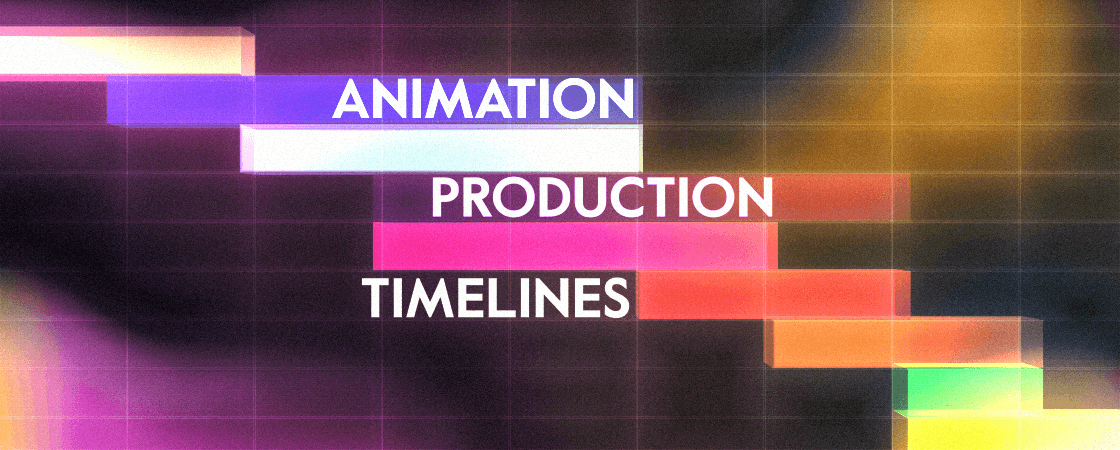
Animation Production Timelines: What to Expect and How to Plan
Jan 4, 2026
•
5
Min Read
If you’ve ever asked, “Can this animation be done by Thursday?” and felt a tiny chill run down your spine as you said it. Congrats! You’re normal.
Animation timelines are one of the most misunderstood parts of marketing and communications planning because animation looks deceptively… magical. Like a wizard waves a stylus and suddenly you’ve got a video.
Spoiler: it’s more like architecture than magic. You don’t rush the foundation and hope the house forgives you.
Let’s talk about what actually happens in an animation timeline, how long it usually takes, where projects derail, and how to plan like a calm, competent professional instead of an exhausted hero.
The Big Picture: Animation Is a Chain, Not a Pile of Tasks
One crucial mindset shift before we get granular:
Animation production is sequential.
Story requires a Visual Style definition.
Design depends on the definition and driven by the story.
Animation depends on design and motion definition.
Animation timing depends on Sound.
Everything depends on feedback that arrives on time and in one piece.
This is why studios obsess over process. Because skipping steps creates chaos later (and chaos is expensive).
This is also why we lay everything out clearly on our Workflow page, so clients can see how the puzzle fits together instead of discovering it mid-crisis.
Alright. Let’s walk the timeline.
Stage 1: Strategy, Story, and “What Are We Even Making?”
Typical timeline: 3–5 business days
This is the part everyone wants to rush which is deeply ironic, because it’s the part that saves the most time later.
Here’s what’s actually happening:
Clarifying goals (not just “a video,” but what it needs to do)
Defining audience, tone, and message hierarchy
Writing and refining the script or narrative arc
Aligning internally so Marketing, Comms, Legal, and That One Stakeholder are all rowing in the same direction
If this phase feels fuzzy, the rest of the project will feel haunted.
Rushed storytelling almost always shows up later as:
“Can we change the message just a little?”
“What if we add one more thing?”
“This feels off but I can’t explain why”
Those notes aren’t bad, but they belong here, and not three phases later.
Stage 2: Concepts (or Visual Direction)
Typical timeline: 3–5 business days
Now we see it.
Concepts create the "visual definition" for the visuals. This is the time to explore creatively within the scope of the budget and where we tend to apply the brand guidelines to the project at hand (if they're available).
Design includes:
Character or system visuals
Color palettes and typography
Motion style decisions
Accessibility considerations
Brand alignment (without turning it into a brand hostage situation)
Here’s a truth we say gently but firmly:
Design approvals need decisiveness.
Not speed, decisiveness.
When design feedback turns into committee energy, timelines stretch.
When one clear decision-maker consolidates feedback, everything moves.
This is one of the biggest hidden factors in animation timing.
Stage 3: Storyboards
Typical timeline: 1–2 weeks
This is the “oh wow it’s real now” phase.
Storyboards turn the script into scenes using the visual direction of the concepts: what’s on screen, how information flows, and how visual metaphors are doing the heavy lifting that words shouldn’t.
This phase is deceptively important. It’s where:
Complexity gets simplified
Abstract ideas become visual logic
Budget decisions quietly happen
Good storyboards prevent expensive animation rework later which is why studios like ours slow down on purpose here and design final frames upfront.
Phase 4: Animation Production
Typical timeline: 2–4 weeks (sometimes more)
This is where the heavy lifting happens.
Animation is not pressing “animate.” No matter how many AI tools you think we should use, or how many AI companies try to convince you otherwise. It’s:
Blocking motion
Refining timing
Layering clarity, pacing, and emphasis
Making sure the animation supports the message, not the animator’s ego
This phase goes fastest when earlier phases were respected.
It goes slowest when the project is still asking existential questions.
Phase 4.5: Sound, VO, and Final Polish
Typical timeline: 3–7 business days
Voiceover, sound design, music licensing, captions, audio mix, all of this happens simultaneously as animation is being timed.
Trying to do sound too early is like installing windows before the walls exist.
Too late, and the animators don't know how long to animate for.
Sound drives the timing as much as any other element and should not be overlooked.
And yes: accessibility (captions, readable motion, sound balance) is not an afterthought. It’s part of polish.
Revision Cycles: Let’s Be Extremely Honest
Most professional animation projects include:
1–3 structured revision rounds per phase
Consolidated feedback
Clear boundaries about what’s changing and why
Here’s the reality check:
Revisions don’t just add time, they can sometimes compound time.
A “small” script change late in the process can ripple backward into:
Re-boarding
Re-design
Re-animating
Re-recording VO
This is just physics. These elements are all linked together.
Changing out one element can break the entire chain.
Good timelines protect revision space without pretending revisions are free.
And great production studios plan for changes in the future ahead of time.
Crunch Time vs. Smart Buffers
You can compress timelines. Studios do it all the time.
But here’s what that usually means:
Fewer exploration options
Less flexibility
Higher cost
More stress across everyone’s calendar (including yours)
Smart teams build in buffer:
For approvals
For stakeholder reality
For life happening mid-project
The most successful projects are rarely the shortest ones, they’re the ones that were planned early enough to breathe.
So… How Far in Advance Should You Plan?
Rough guidance:
Short explainer or internal video: start 6–8 weeks out
Campaign asset or multi-video series: 8–12+ weeks
If it’s tied to a fixed launch date: earlier than you think
Animation rewards early thinking. It punishes last-minute perfectionism.
The Final Takeaway
When expectations match process:
Budgets behave
Teams stay sane
Videos actually do what they’re supposed to do
And if you ever want to see how all of this fits together visually, as a working system, check out some of our Examples.
Plan early. Decide clearly. Leave room to breathe.
Your future self will thank you.

Enjoying These Insights?
Advocacy
Copyright ©
Open Pixel Studios, LLC.
All product names, logos, and brands are the property of their respective owners.